> For the complete documentation index, see [llms.txt](https://docs.simplespa.net/simplespa-documentation/llms.txt). Markdown versions of documentation pages are available by appending `.md` to page URLs; this page is available as [Markdown](https://docs.simplespa.net/simplespa-documentation/daily-operations/expenses/managing-expenses.md).

# Managing Expenses

Add and delete simple business expenses and view them in the Expenses report.

This page explains how to add and delete expenses and where to view expense reports.

The Expenses page gives you an easy way to track simple expenses your business may have.

<figure><img src="https://695085455-files.gitbook.io/~/files/v0/b/gitbook-x-prod.appspot.com/o/spaces%2Fa9tSKQ7Cexg8YEba5Evb%2Fuploads%2FLSDPvxY4nYXNztsElcmL%2FScreenshot%202024-07-14%20at%207.57.24%E2%80%AFPM.png?alt=media&#x26;token=ffa563ff-1c22-49c3-91bc-e1e798caa15a" alt=""><figcaption><p>The Expenses page in SimpleSpa</p></figcaption></figure>

## Add Expense

To add an expense, go to the **Expenses** page and click the **+Expense** button.

<figure><img src="https://695085455-files.gitbook.io/~/files/v0/b/gitbook-x-prod.appspot.com/o/spaces%2Fa9tSKQ7Cexg8YEba5Evb%2Fuploads%2FF63QKTysrP6tcnv2JUc1%2FScreenshot%202024-07-14%20at%207.46.19%E2%80%AFPM.png?alt=media&#x26;token=c119ae87-cf0f-417e-a88e-ba1e3b4620c7" alt=""><figcaption><p>The Add Expense button</p></figcaption></figure>

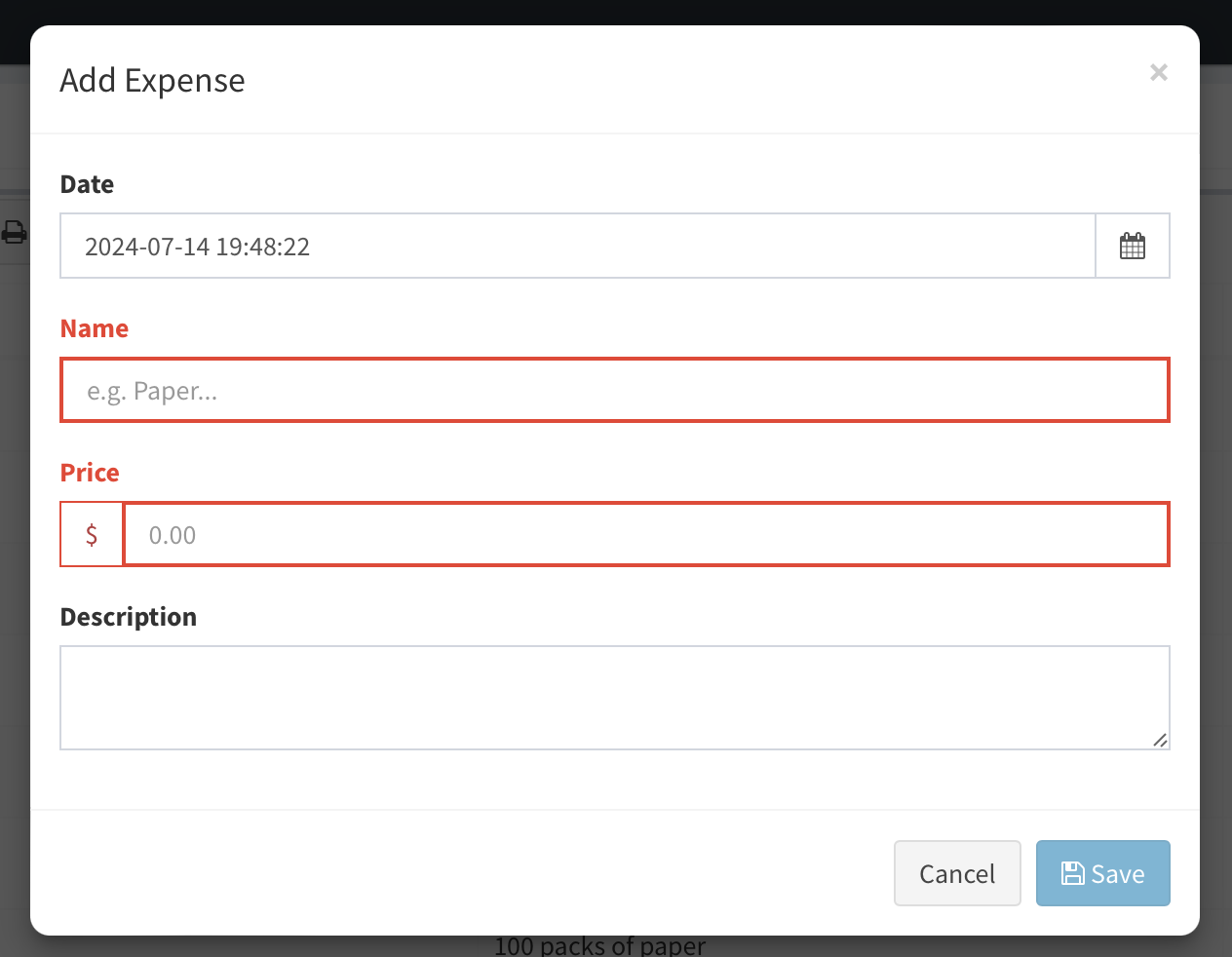
The **Add Expense** prompt opens with these fields:

| Field           | Description                                                                         |
| --------------- | ----------------------------------------------------------------------------------- |
| **Date**        | The date the expense was made. It is filled in automatically with the current date. |
| **Name**        | The name of the expense.                                                            |
| **Price**       | The amount paid for this expense.                                                   |
| **Description** | A description of this expense.                                                      |

<figure><img src="https://695085455-files.gitbook.io/~/files/v0/b/gitbook-x-prod.appspot.com/o/spaces%2Fa9tSKQ7Cexg8YEba5Evb%2Fuploads%2F3kViaekvYnI1Y2PWmN3X%2FScreenshot%202024-07-14%20at%207.48.37%E2%80%AFPM.png?alt=media&#x26;token=ba2c3d05-ba06-4839-a6ca-d5e7c065fd8f" alt=""><figcaption><p>The Add Expense prompt in SimpleSpa</p></figcaption></figure>

## Delete Expense

To delete an expense, press the red delete icon to the right of the expense you want to remove.

<figure><img src="https://695085455-files.gitbook.io/~/files/v0/b/gitbook-x-prod.appspot.com/o/spaces%2Fa9tSKQ7Cexg8YEba5Evb%2Fuploads%2F0Wm4OXScl9GoAiYkURlo%2FScreenshot%202024-07-14%20at%207.48.10%E2%80%AFPM.png?alt=media&#x26;token=2716b751-b0fe-4f75-a845-f458aaec38cd" alt=""><figcaption><p>The Delete Expense button in the Expenses page</p></figcaption></figure>

## Expense Reports

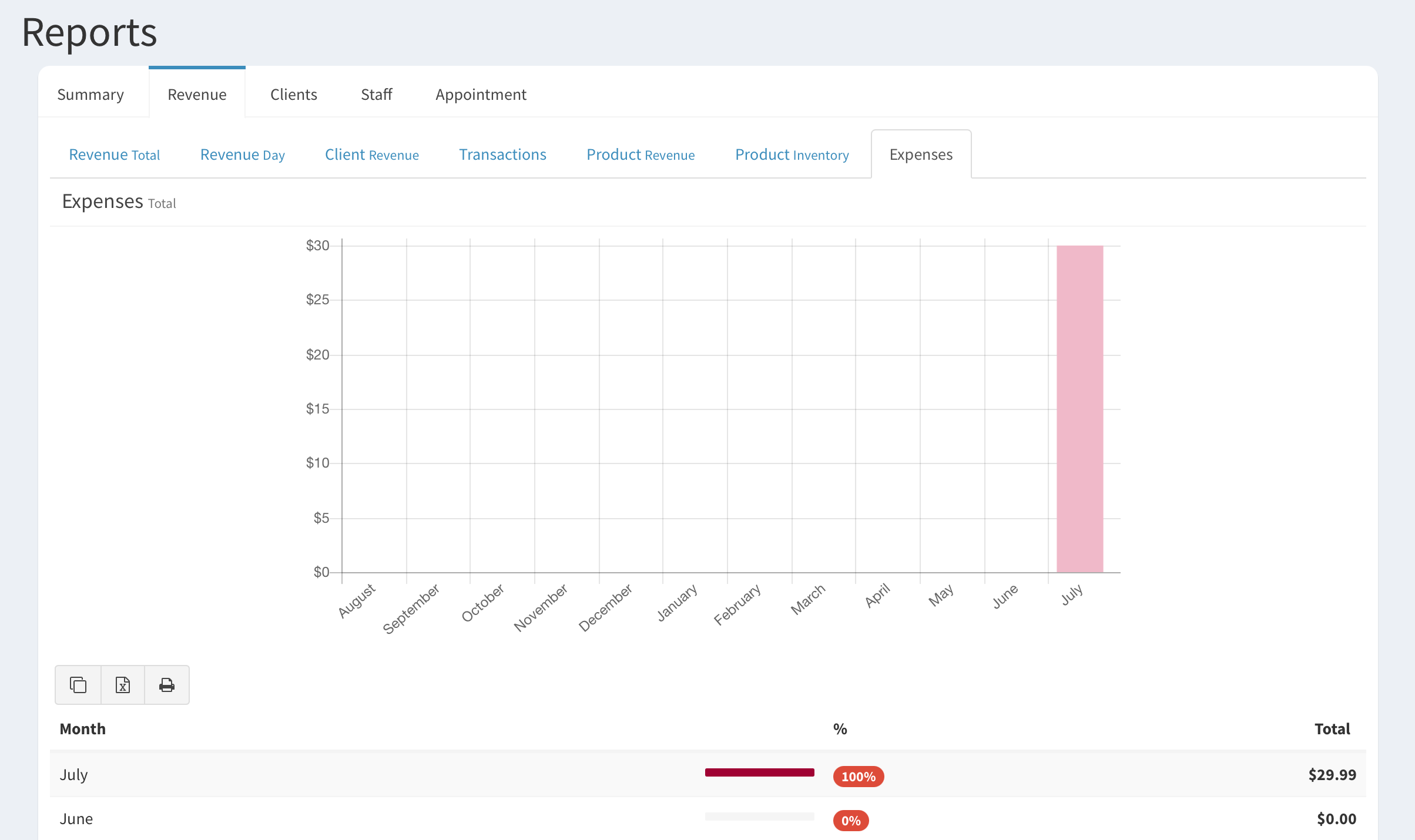
To view expense reports for any time period, go to **Reports → Revenue → Expenses**.

{% hint style="info" %}
Expenses are currently available in reports for the past 12m.
{% endhint %}

<figure><img src="https://695085455-files.gitbook.io/~/files/v0/b/gitbook-x-prod.appspot.com/o/spaces%2Fa9tSKQ7Cexg8YEba5Evb%2Fuploads%2Fg8SLo6I6Kv9gNTVXJyg3%2FScreenshot%202024-07-14%20at%207.58.05%E2%80%AFPM.png?alt=media&#x26;token=d252f4dd-88d3-4291-b7bc-570abfbfa412" alt=""><figcaption><p>The Expenses Report</p></figcaption></figure>

## Related

* [Revenue & Sales Reports](https://docs.simplespa.net/simplespa-documentation/reports-and-marketing/reports/revenue-and-sales-reports.md)