> For the complete documentation index, see [llms.txt](https://docs.simplespa.net/simplespa-documentation/llms.txt). Markdown versions of documentation pages are available by appending `.md` to page URLs; this page is available as [Markdown](https://docs.simplespa.net/simplespa-documentation/daily-operations/forms/managing-forms.md).

# Managing Forms

Add and edit custom intake forms, questionnaires and consent forms with client signatures.

This page explains how to add and edit forms in SimpleSpa.

SimpleSpa has integrated forms, so you can quickly add your own custom intake forms, questionnaires and even consent forms that capture your client's signature.

## Adding a Form

{% stepper %}
{% step %}

### Open the Add Form prompt

Press the **Add Form** button.
{% endstep %}

{% step %}

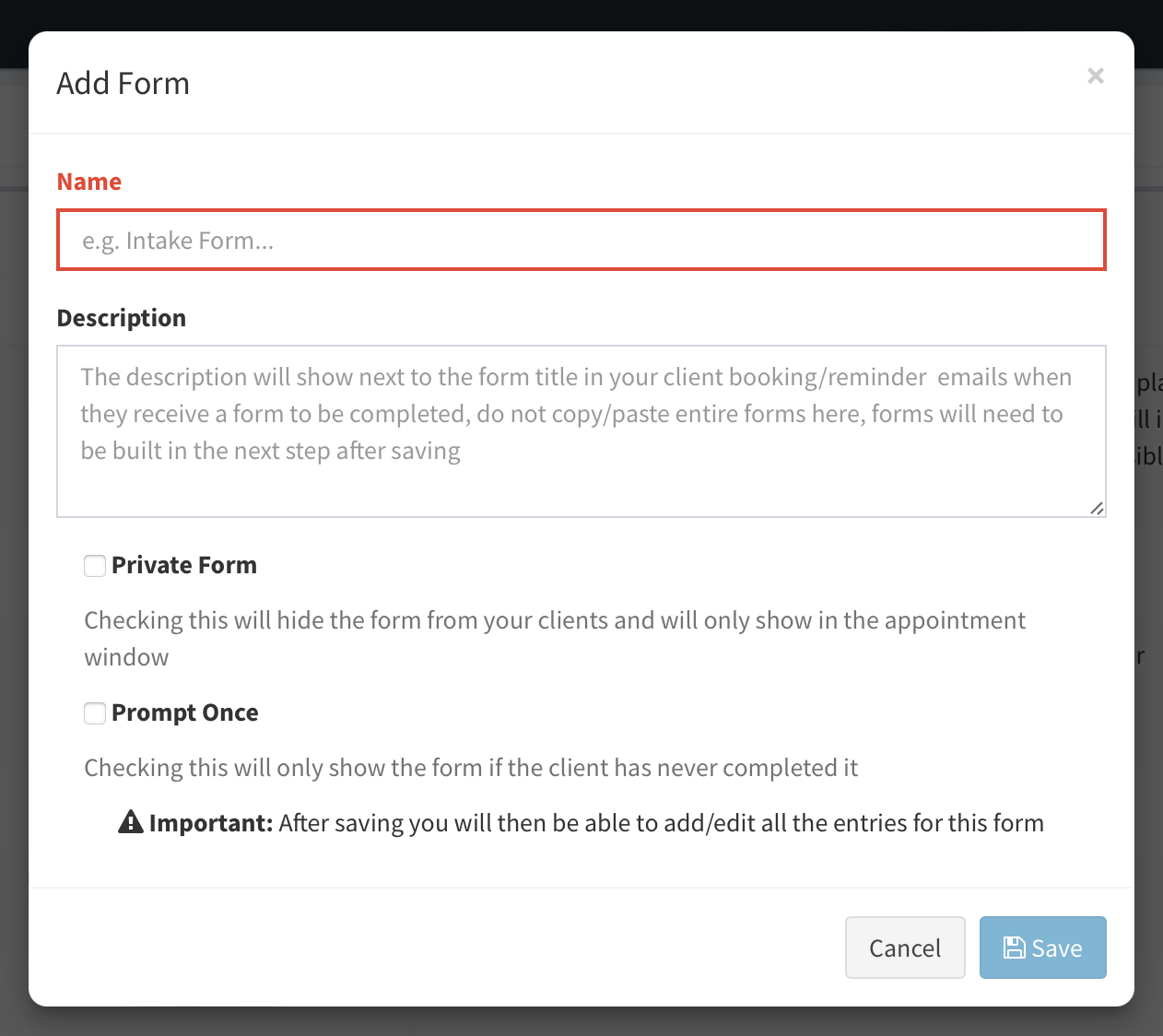
### Enter a name and description

Enter the **Name** of the form and a description. Make sure the description clearly tells your client what the form is about.
{% endstep %}

{% step %}

### Save

Press **Save** to go to the Form Editor, where you add your questions.
{% endstep %}
{% endstepper %}

<figure><img src="https://695085455-files.gitbook.io/~/files/v0/b/gitbook-x-prod.appspot.com/o/spaces%2Fa9tSKQ7Cexg8YEba5Evb%2Fuploads%2FLdGg7JXEmkGsAfECz7HY%2FScreenshot%202024-07-13%20at%206.06.06%E2%80%AFPM.png?alt=media&#x26;token=d4ebf857-60ea-447b-80b9-5f43ead1aa48" alt=""><figcaption><p>The Add Form button in the SimpleSpa Forms page</p></figcaption></figure>

<figure><img src="https://695085455-files.gitbook.io/~/files/v0/b/gitbook-x-prod.appspot.com/o/spaces%2Fa9tSKQ7Cexg8YEba5Evb%2Fuploads%2FarHClUBND0fSTvnlDW3d%2FScreenshot%202024-07-13%20at%206.06.21%E2%80%AFPM.png?alt=media&#x26;token=1d995896-199f-4a64-9373-96d983c044a6" alt=""><figcaption><p>Add Form prompt in SimpleSpa</p></figcaption></figure>

<figure><img src="https://695085455-files.gitbook.io/~/files/v0/b/gitbook-x-prod.appspot.com/o/spaces%2Fa9tSKQ7Cexg8YEba5Evb%2Fuploads%2FJlyAAfD06lRaoXqEvhN6%2FScreenshot%202024-07-13%20at%206.06.55%E2%80%AFPM.png?alt=media&#x26;token=912cf3c2-1899-409f-a751-8c52da6dc371" alt=""><figcaption><p>Form Data Entry - the next step after completing the Add Form prompt</p></figcaption></figure>

## Editing a Form

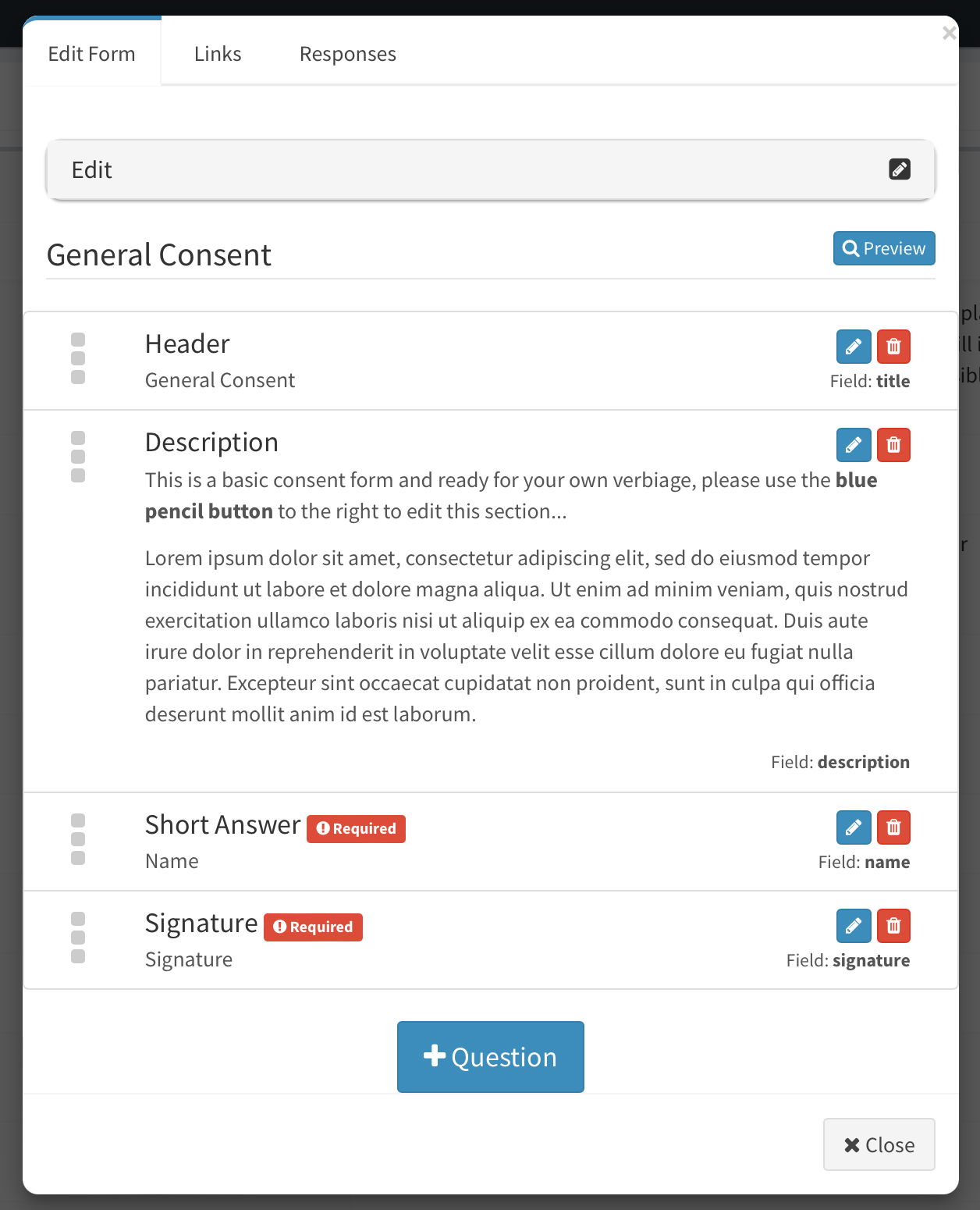
At any time, press the pencil button next to a form. A window opens where you can:

* Edit the **Name** and **Description**
* Change the order of your questions
* Remove questions you have added

Click **Edit** at the top of the popup to expand the editor and change the name, description and form settings.

<figure><img src="https://695085455-files.gitbook.io/~/files/v0/b/gitbook-x-prod.appspot.com/o/spaces%2Fa9tSKQ7Cexg8YEba5Evb%2Fuploads%2FdmrCqnJUNws4wVhDiNhM%2FScreenshot%202024-07-13%20at%206.08.09%E2%80%AFPM.png?alt=media&#x26;token=cd0c0742-3a63-4818-a23b-65282cfaacd2" alt=""><figcaption><p>Editing the main form settings</p></figcaption></figure>

<figure><img src="https://695085455-files.gitbook.io/~/files/v0/b/gitbook-x-prod.appspot.com/o/spaces%2Fa9tSKQ7Cexg8YEba5Evb%2Fuploads%2FXYQo1t8vfFgdidUyl2Mg%2FScreenshot%202024-07-13%20at%206.08.38%E2%80%AFPM.png?alt=media&#x26;token=310b96bf-841a-4d7b-bbbc-94e4b64f304e" alt=""><figcaption><p>The Edit Form prompt showing the form field entries</p></figcaption></figure>

<figure><img src="https://695085455-files.gitbook.io/~/files/v0/b/gitbook-x-prod.appspot.com/o/spaces%2Fa9tSKQ7Cexg8YEba5Evb%2Fuploads%2FXuUBZ7aKGNAmGkWlpzYk%2FScreenshot%202024-07-13%20at%206.09.10%E2%80%AFPM.png?alt=media&#x26;token=13378eda-8850-41d8-b581-c5e7fb8d65a0" alt=""><figcaption><p>Form field editing in SimpleSpa</p></figcaption></figure>

## Related

* [Additional Questions (Form Editor)](/simplespa-documentation/daily-operations/forms/additional-questions-form-editor.md)
* [Additional Settings](/simplespa-documentation/daily-operations/forms/additional-settings.md)
* [Assigning to a Service](/simplespa-documentation/daily-operations/forms/assigning-to-a-service.md)