> For the complete documentation index, see [llms.txt](https://docs.simplespa.net/simplespa-documentation/llms.txt). Markdown versions of documentation pages are available by appending `.md` to page URLs; this page is available as [Markdown](https://docs.simplespa.net/simplespa-documentation/daily-operations/pos/common-checkouts-and-tutorial-walkthroughs/applying-discounts-during-checkout.md).
# Applying Discounts During Checkout
Apply a preset, custom percentage, fixed-amount or saved discount profile to a cart in the POS, and remove a discount.
This page shows you how to apply and remove discounts in the POS cart.
## Applying a discount
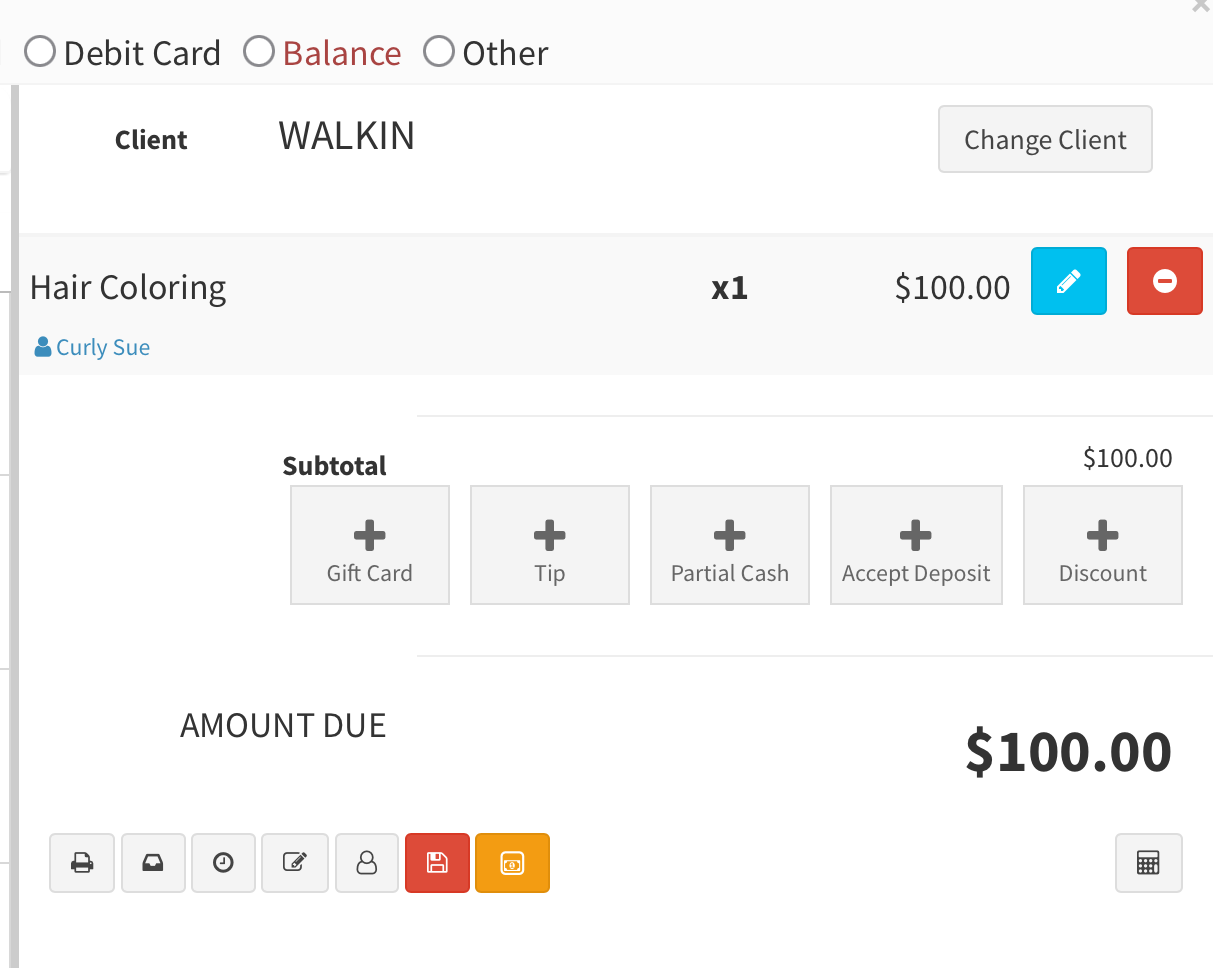
1. Make sure you have added all items to the cart.
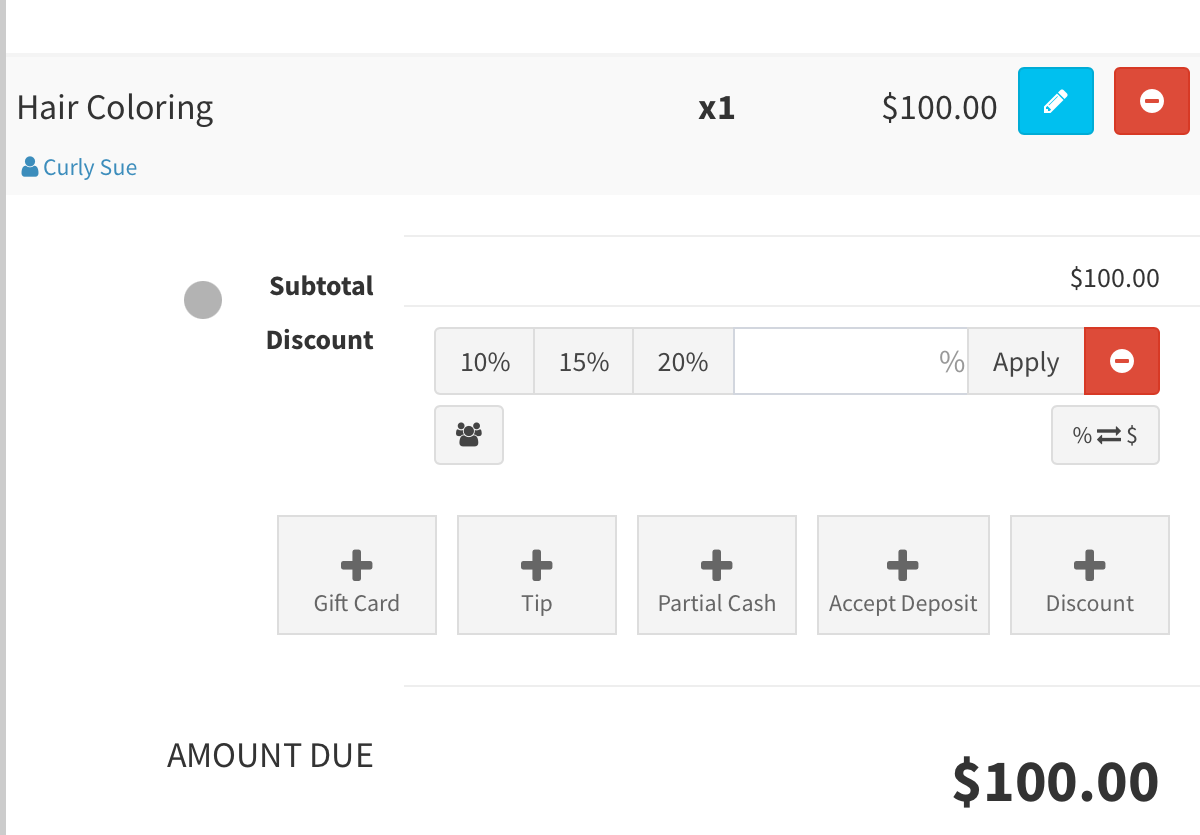
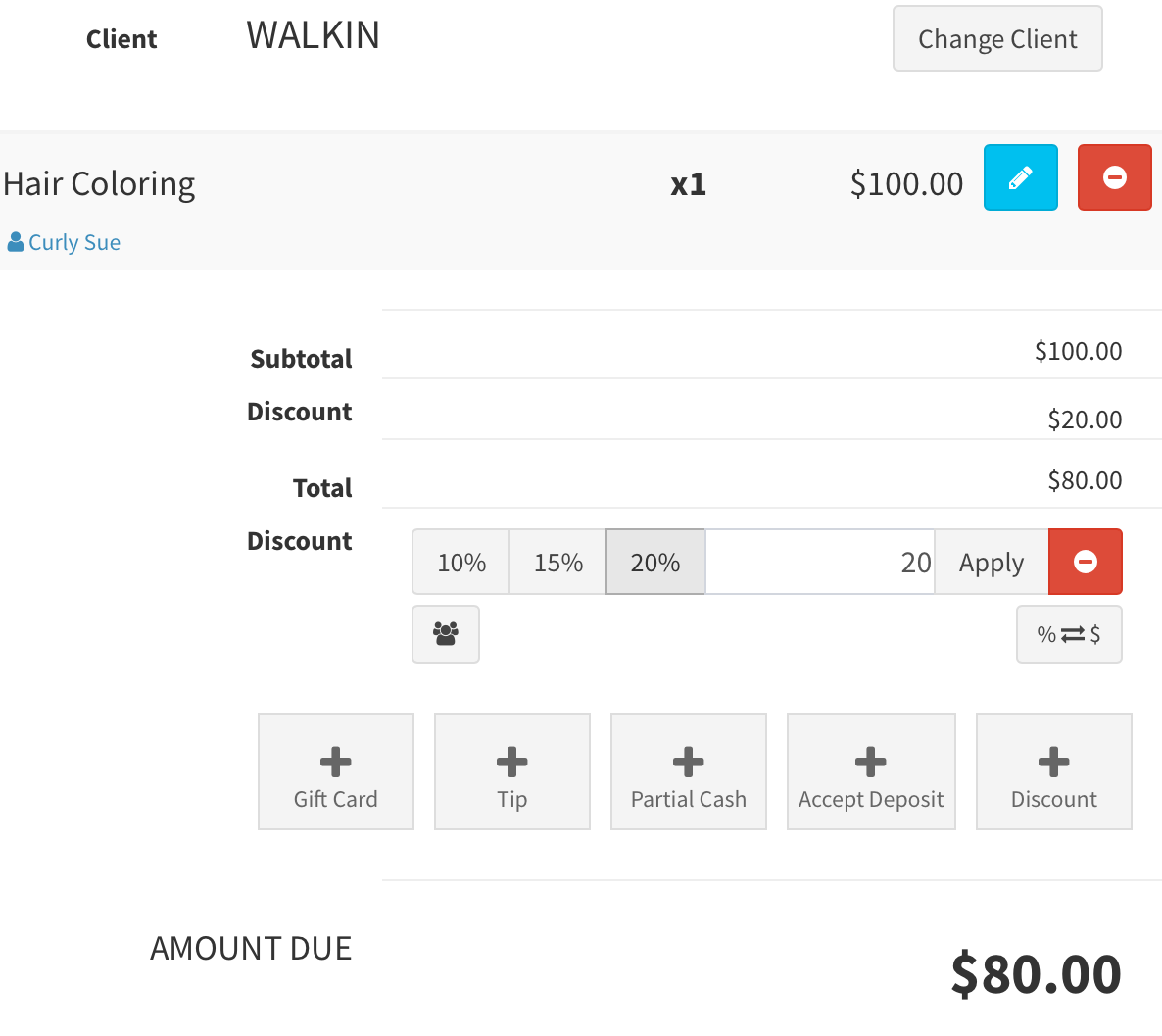
2. Press the **+Discount** button. A section opens where you can apply a preset discount or enter a custom percentage for the cart.
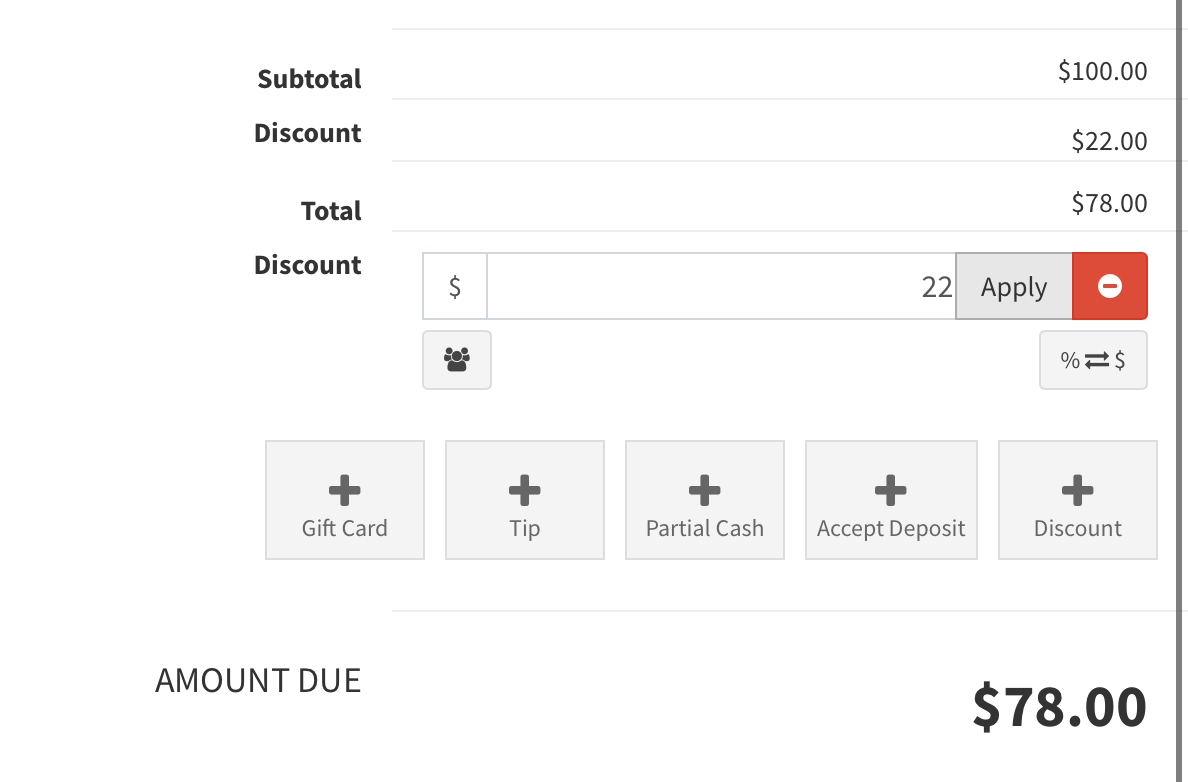
## Applying a nominal (fixed-amount) discount
Press the **% - $** button to switch from a percentage to a nominal amount. The number you enter is then applied as a fixed-amount discount.
## Applying a saved discount profile
Discount profiles are applied to client profiles. To quickly apply a saved discount profile that is not on this client's profile, click the person icon. A list of all discount profiles appears, and the one you choose applies only to this cart.
## Removing a discount
To remove a discount, press the minus button on the discount line.
## Related
* [Managing Discounts](https://docs.simplespa.net/simplespa-documentation/daily-operations/discounts/managing-discounts.md)
* [Applying Discounts](https://docs.simplespa.net/simplespa-documentation/daily-operations/discounts/applying-discounts.md)