> For the complete documentation index, see [llms.txt](https://docs.simplespa.net/simplespa-documentation/llms.txt). Markdown versions of documentation pages are available by appending `.md` to page URLs; this page is available as [Markdown](https://docs.simplespa.net/simplespa-documentation/get-started/general.md).

# General

An introduction to finding your way around SimpleSpa and the setup wizard you see when you sign up.

This page introduces the SimpleSpa layout and the setup wizard that helps you get started.

## Finding your way around

SimpleSpa keeps your key business information easy to reach:

* **Left menu:** Open business details, client and staff profiles, services, and settings.
* **Top navigation bar:** From the **Dashboard** or **Appointments** page, jump straight to appointments and the Point of Sale (POS).

## The setup wizard

When you sign up for SimpleSpa, a guided wizard helps you set up your account quickly:

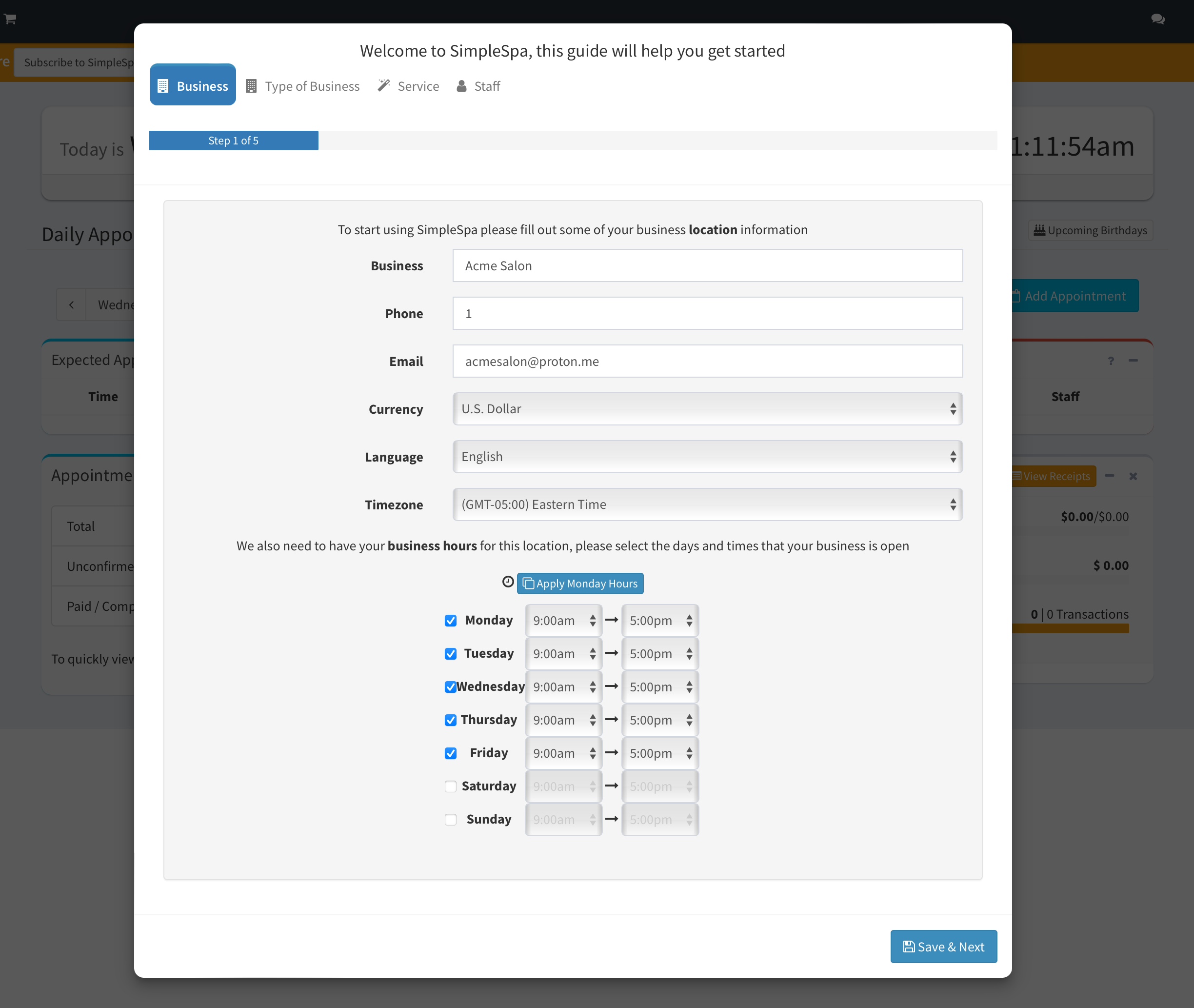
1. Enter your business information.
2. Add your first services.
3. Add your first staff members.

When you finish, you can go to the **Appointments** page and make your first booking.

<figure><img src="https://695085455-files.gitbook.io/~/files/v0/b/gitbook-x-prod.appspot.com/o/spaces%2Fa9tSKQ7Cexg8YEba5Evb%2Fuploads%2FdOBJNXIVklNg6So0MEGb%2FScreenshot%202024-07-03%20at%2011.11.55%E2%80%AFAM.png?alt=media&#x26;token=5d2608ad-2c0e-493e-a5a6-b50790cc0872" alt=""><figcaption><p>SimpleSpa Setup Guide - Step 1<br>Adding business information via the Wizard</p></figcaption></figure>

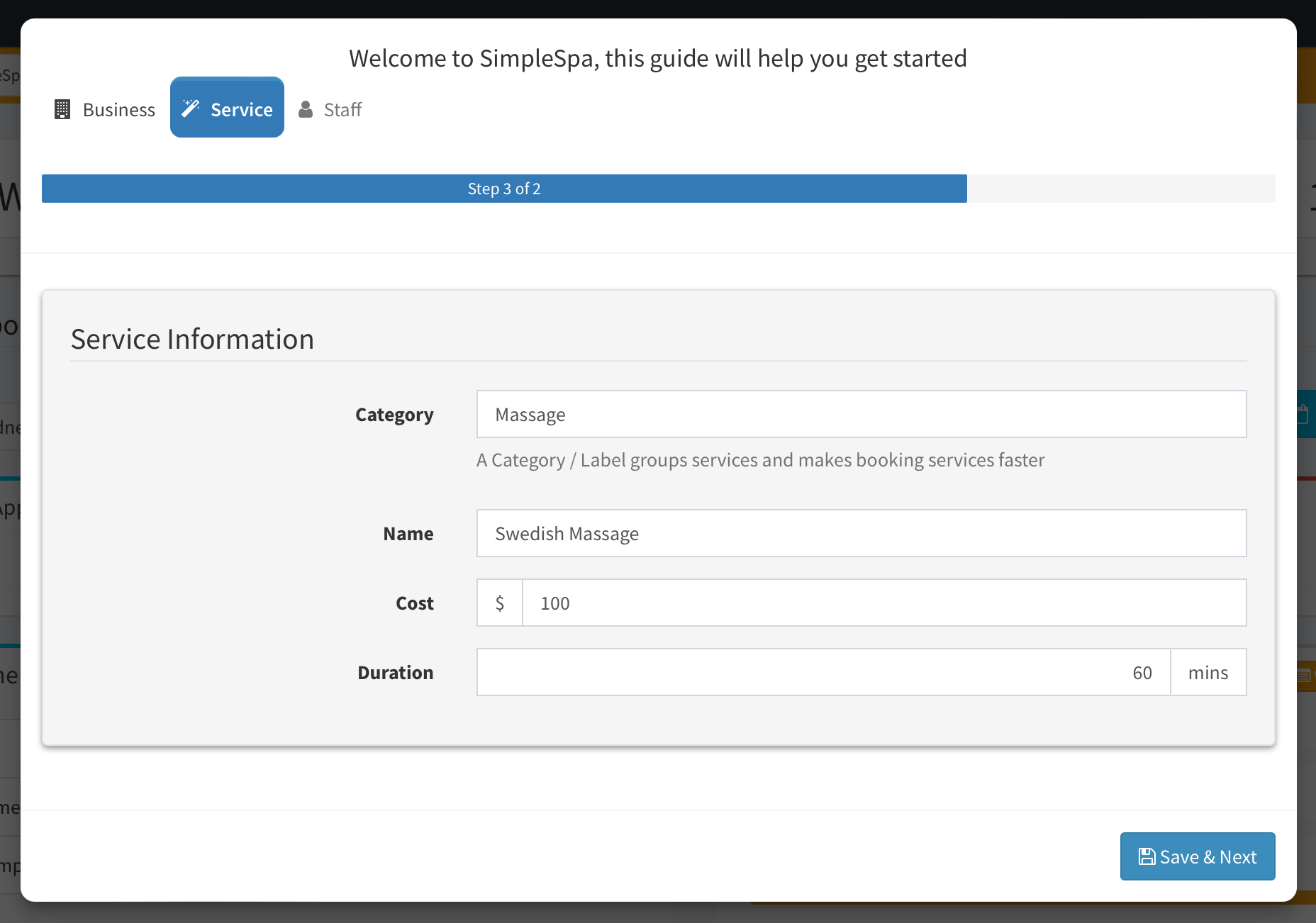
<figure><img src="https://695085455-files.gitbook.io/~/files/v0/b/gitbook-x-prod.appspot.com/o/spaces%2Fa9tSKQ7Cexg8YEba5Evb%2Fuploads%2FtdPmmyfnoy42hECVHNBz%2FScreenshot%202024-07-03%20at%201.00.21%E2%80%AFPM.png?alt=media&#x26;token=09047e75-0545-4bb0-9345-3e00106705dc" alt=""><figcaption><p>SimpleSpa Setup Guide - Step 2<br>Adding a service via the Wizard</p></figcaption></figure>

<figure><img src="https://695085455-files.gitbook.io/~/files/v0/b/gitbook-x-prod.appspot.com/o/spaces%2Fa9tSKQ7Cexg8YEba5Evb%2Fuploads%2FJPLOq51KaoPaZuZzAGuU%2FScreenshot%202024-07-03%20at%201.02.56%E2%80%AFPM.png?alt=media&#x26;token=1ec39562-448b-435a-b6ee-49180113a756" alt=""><figcaption><p>SimpleSpa Setup Guide - Step 3<br>Adding a staff member via the Wizard</p></figcaption></figure>

## Related

* [Adding your first Service/Staff](/simplespa-documentation/get-started/adding-your-first-service-staff.md)
* [Creating your first Appointment](/simplespa-documentation/get-started/creating-your-first-appointment.md)
* [Creating your first Transaction/Checking out a Client](/simplespa-documentation/get-started/creating-your-first-transaction-checking-out-a-client.md)